Check fan speed if your Mac mini UI becomes super slow
Dust build-up inside Mac mini fan leads to super slow machine.
For several days, I was struggling with a strange issue on my Mac mini M2 Pro: soon after restart, like 5mins or so, entire system would becomes super slow. UI would visibly render bit by bit, switching between windows would be very slow etc. I could literally count how system Settings app is drawing its many rows.
I was already struggling to clear out my SSD which was close to 95% full so first thought that’s the reason. But nothing on the machine was really indicating that APFS or SSD are an issue - for example, this was happening with idle machine doing nothing. Thus I created sysdiagnose file using:
Command + Option + Shift+ Control + . (period)
and then gave it to Claude to analyze. Here’s what it found:
The cause looks like thermal throttling from a fan that isn’t spinning, not software.
What points there
- Thermal pressure is at “Trapping”, the most severe level before macOS forces sleep.
pmsetalso reportsthermal level = Bad. That’s set at a moment when the whole machine is drawing only ~0.3 W of CPU+GPU power, so the heat isn’t coming from load. - The fan reads 0 RPM. This is a Mac mini M2 Pro (Mac14,12) with one fan rated 1700–5000 RPM. Its actual speed is 0 and its target is 0. On this model the fan should never be stopped while the machine is running. The SMC status and fault fields for the fan are also non-zero. I can’t decode those values with certainty, but they fit a stalled or failed fan.
- The SoC is hot for an idle machine. The hottest sensor is about 79 °C and most die sensors sit at 50–63 °C, with nothing running.
- The GPU is throttled. It’s capped near its lowest frequency (444–511 MHz). When the GPU is held down like that, every app’s UI renders slowly, which matches what you’re seeing system-wide.
I double-checked this with Sensei app I bought a while back and voilà:
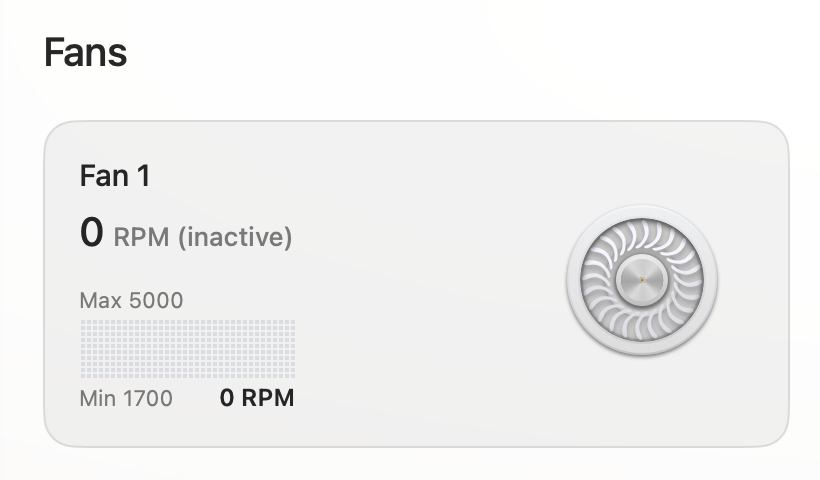
With some guidance from iFixit’s Mac mini M2 teardown, I fairly easy got the fan out. There wasn’t much visible dust but when I put my compressed air blower to task, quite a lot of dust was expelled. My Mac mini is running 24/7 for over 2 years now so that was enough to accumulate layer upon layer of super-fine dust packed over the fan internals to block its operation.
Re-assembling everything back and things were back to normal:
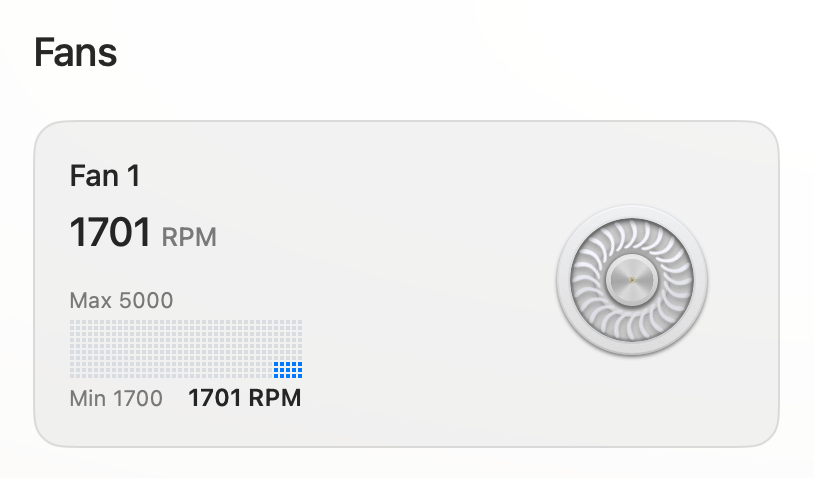
Hope it helps some of you.
I commend the macOS developers for how they handled this: they throttled anything they could to preserve the machine from overheating. Ideally though, it would somehow notify you that something in the hardware is failing or is being outside the expected parameters. Maybe in some future version.